Build an editable Boolean socket
Cut a cylindrical opening through a block while retaining both source objects. You will toggle the operation without rebuilding the model, then decide when to bake it for UV work.
Start in a new Model document with its default cube. Open Import and Export and set Project units → Meters for the numeric fields below. In Forge 1.6.38+, this changes display/input, not geometry size. These are demonstration dimensions; use a Scale factor later for a smaller physical part.
Screenshots show Mac Forge v1.6.39. Click an image to enlarge it.
1. Shape the block
- Use Object mode (
4), select the cube, and choose Transform (M). - Expand Detail. Set Scale to X 1.5, Y 0.6, Z 1.
- Set Position to X 0, Y 0.6, Z 0. Press Return after each edit.
- Check the HUD: the block measures 3 m × 1.2 m × 2 m, resting on the grid.
Transform fields commit directly. There is no separate Boolean or modeling Apply step here.
2. Add the cutter
- Open Add → Create Cylinder (default
V). A 16-segment cylinder is enough for this exercise. - With the cylinder selected, set Scale to X 0.45, Y 1, Z 0.45.
- Set Position to X 0, Y 0.6, Z 0.
The cutter is 0.9 m across and 2 m tall, passing through the whole block. A cutter that only touches or stops inside the block cannot make the same through-hole.
3. Set the target last
Open Booleans beside Paint in the bottom toolbar. It keeps the Outliner available. Select Cylinder first, then add Cube last to the selection using its Outliner checkbox. Check that both are selected and Cube is active. The active object is the target; the other selected object is the operand.
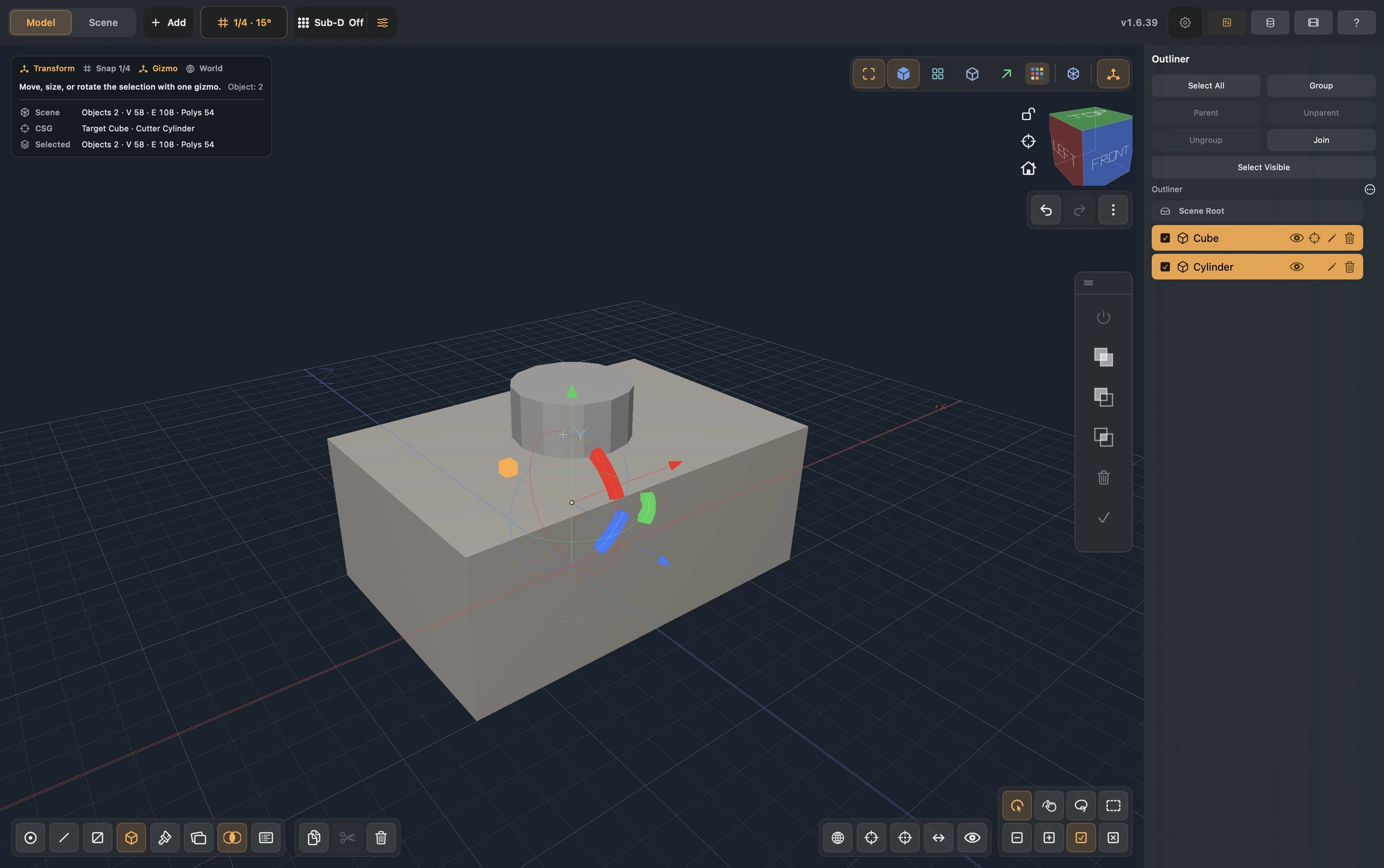
Choose Subtract in the floating vertical controls. The cylinder's solid display is hidden and the block shows a live hole. The cylinder remains in the Outliner beneath the target; it has not been deleted or baked.
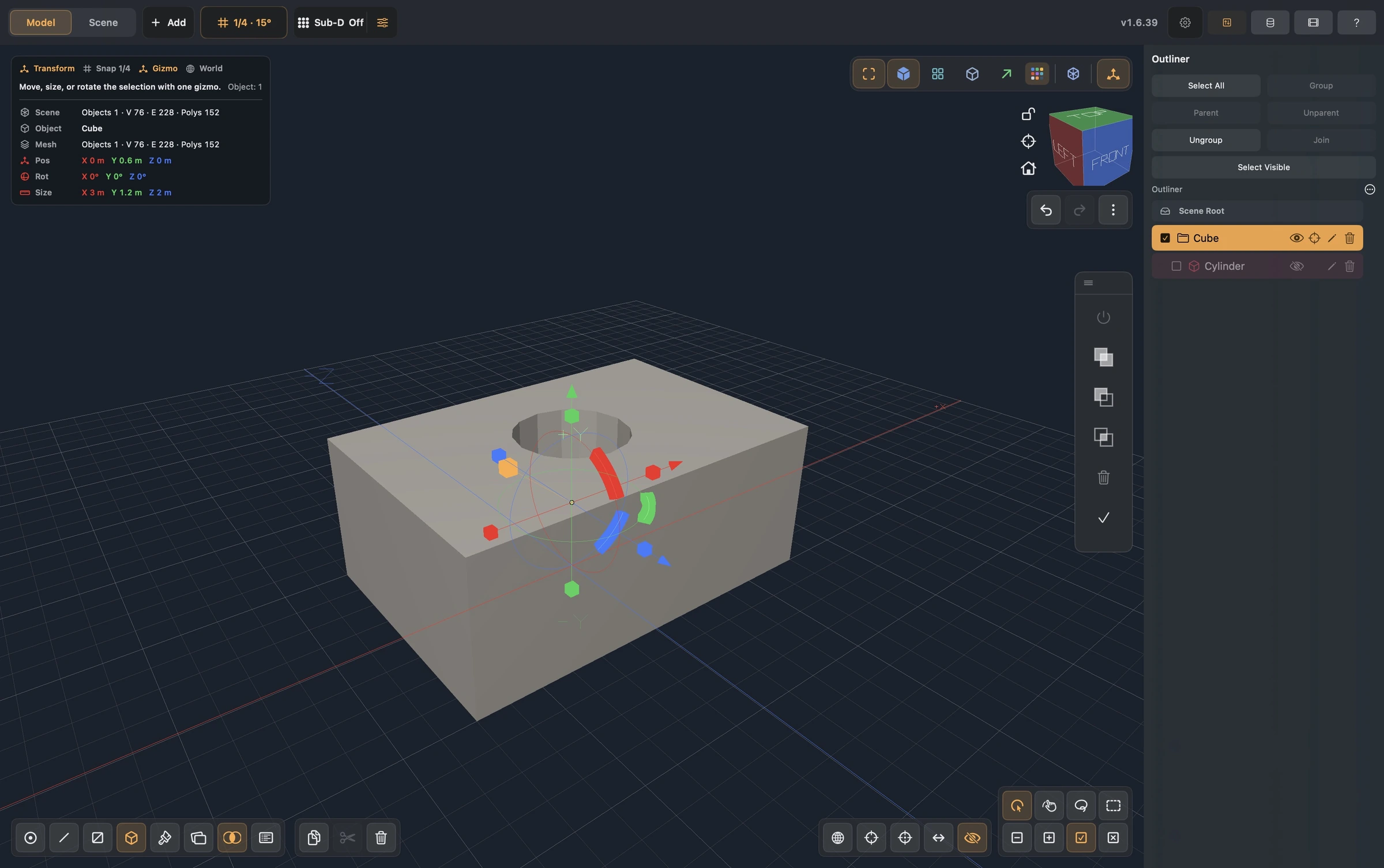
4. Keep the operation editable
Select Cylinder by its name in the Outliner. Its row can be dimmed because its solid mesh is hidden. The Boolean controls now refer to that operand.
- Use the power / effect control to turn this operation off. The block returns without a hole.
- Turn the effect back on. The hole returns without recreating the cylinder.
- Move, rotate, or scale the selected hidden cylinder with Transform to revise the opening.
- Choose Union or Intersect to change the selected operation. Undo restores the previous edit.
Effect and eye visibility are independent. Revealing the cutter's solid display does not disable its operation; turning the effect off does not delete its source.
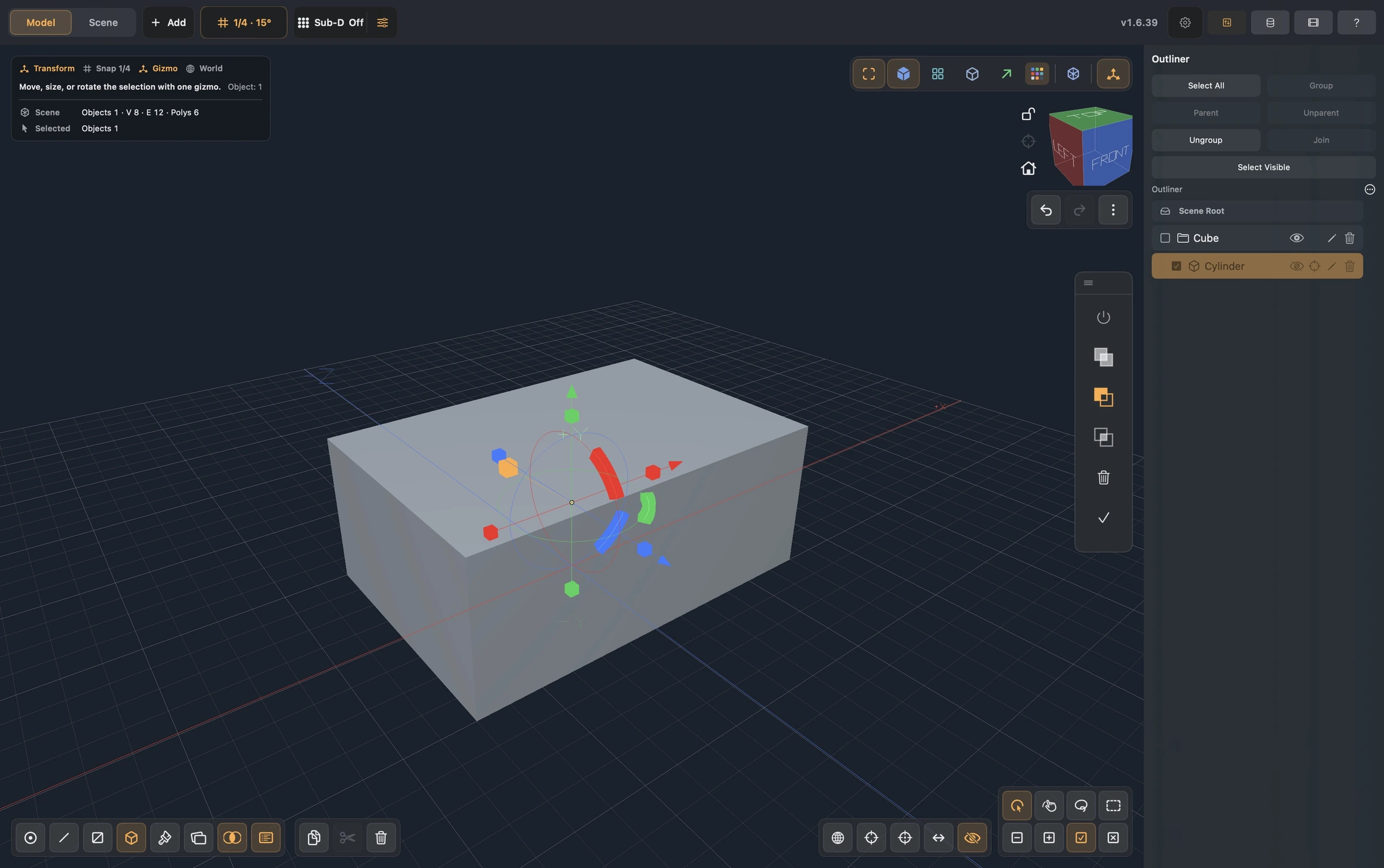
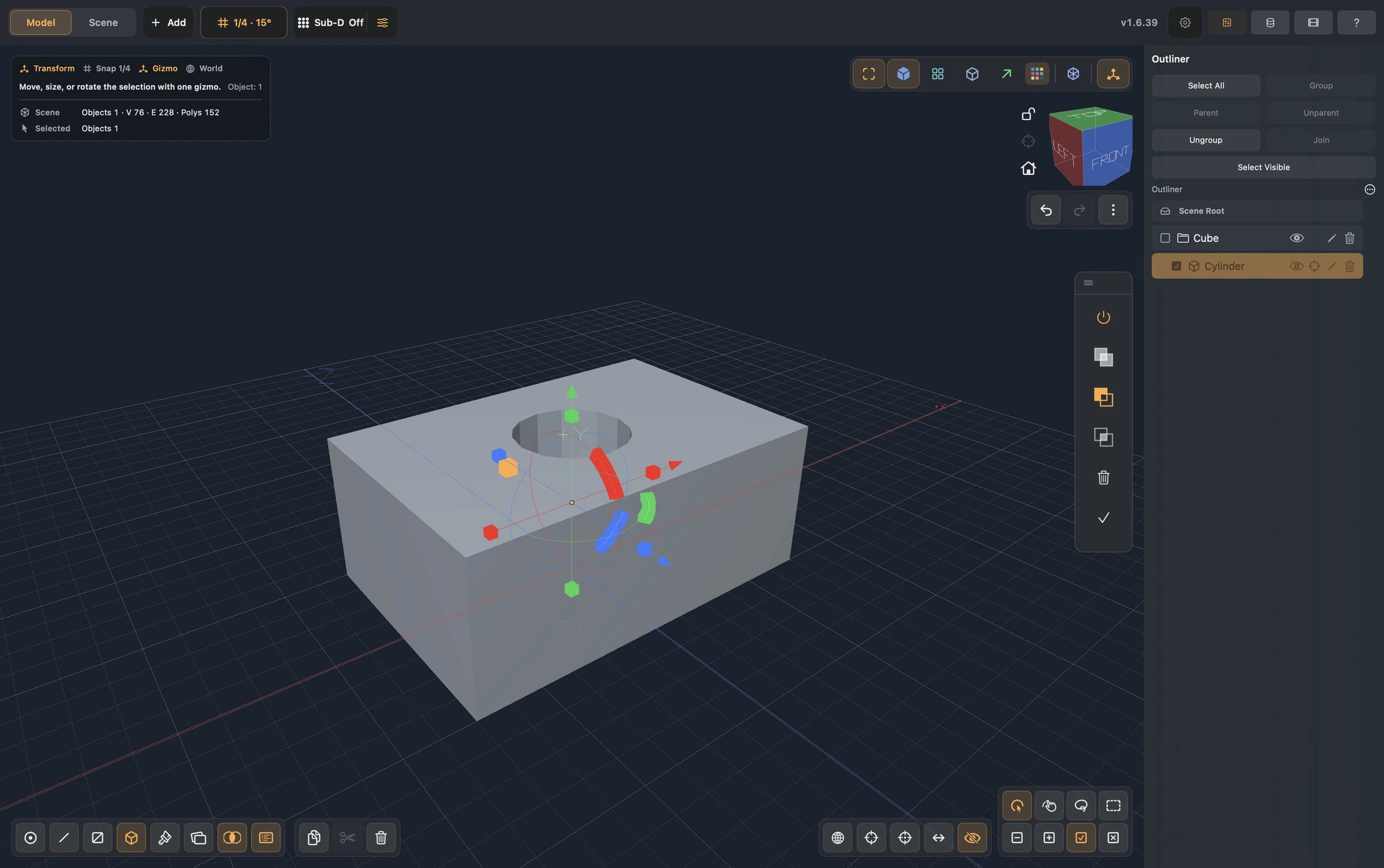
Save the Forge source if you want to revisit the stack later. Boolean sources and operations survive save/reopen and participate in Undo.
5. Apply only when ready
You can leave the operation editable. When you need fixed topology for final UV mapping or Grab Brush:
- Select the operand to apply only its operation, or the target to apply the entire stack.
- Choose Apply Boolean (checkmark) and read the UV warning.
- Confirm the bake when ready. Applied operand sources are removed; remaining operations stay editable.
- Inspect the resulting topology, then open UV and generate or unwrap its layout before detailed painting.
A Boolean preview is not a paint-layer edit. Done on another tool is not a substitute for Apply Boolean. Undo can restore the editable stack after a bake.
Troubleshooting
| Symptom | Check |
|---|---|
| Subtract is unavailable | Select two mesh objects, with the target active last. Open Booleans explicitly. |
| The wrong object is cut | Recheck active target and operand order before creating the operation. |
| A hidden cutter seems unselectable | Keep Booleans open and select its name in the Outliner. |
| Turning off the eye leaves the hole | Eye controls source visibility; use the power control to disable its effect. |
| The hole does not go through | Extend the cutter beyond both surfaces and inspect its position. |
| UVs or paint change after Apply | Bake before final mapping; regenerate/review UVs, then paint. |
Continue with Paint a prop in layers, or compare this with the surface-based Knife and Cut Through window.